
From legacy uncertainty to a structure you can prove
When the overall picture is unclear, everything feels like a tangle—or it looks fine until nobody can prove it. Asist LX uses refreshed metadata every day to build clear development-group and application views. You see how components really cluster, where services cross boundaries, and which gaps deserve attention, so planning is based on evidence instead of folklore.
What is Asist LX ?
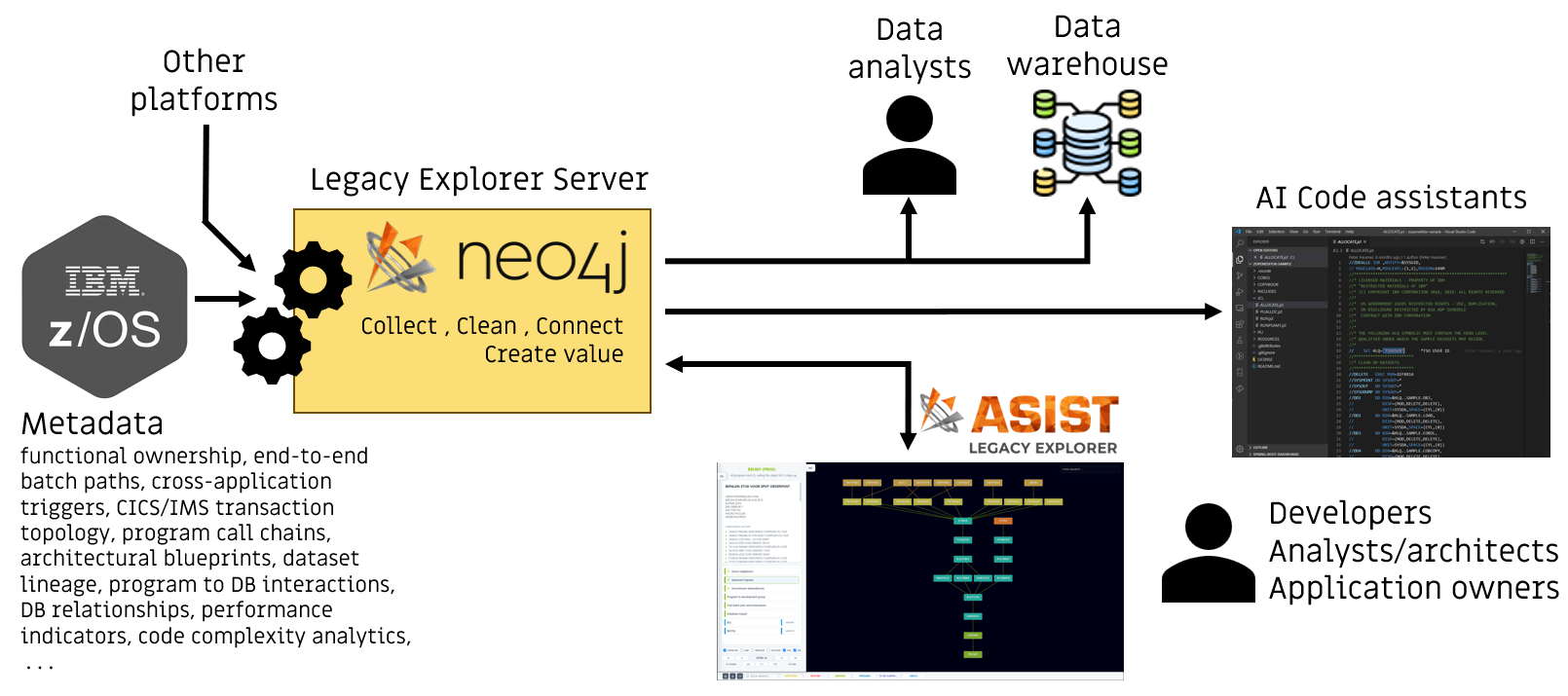
Automated Overnight Ingestion: Every night, your application metadata is securely transferred to the Asist LX platform (on-premise or cloud). The pipeline cleans and connects the data. By morning, a refreshed, objective map of your system is compiled and ready for use without any manual effort.
A Unified Baseline for Teams and AI: This establishes a single source of structural truth across your entire organization. Developers, owners, and architects explore application pathways through the Asist LX web portal, while your generative AI tools read the exact same facts via the Model Context Protocol (MCP).
Developer assistant
The essential day-to-day companion for engineers: vital system context is placed directly at their fingertips, enabling developers to quickly access the exact coding information they need while writing or modifying programs. This accelerates routine research, replacing manual file navigation with immediate, accurate data to support daily development.
Key functionality
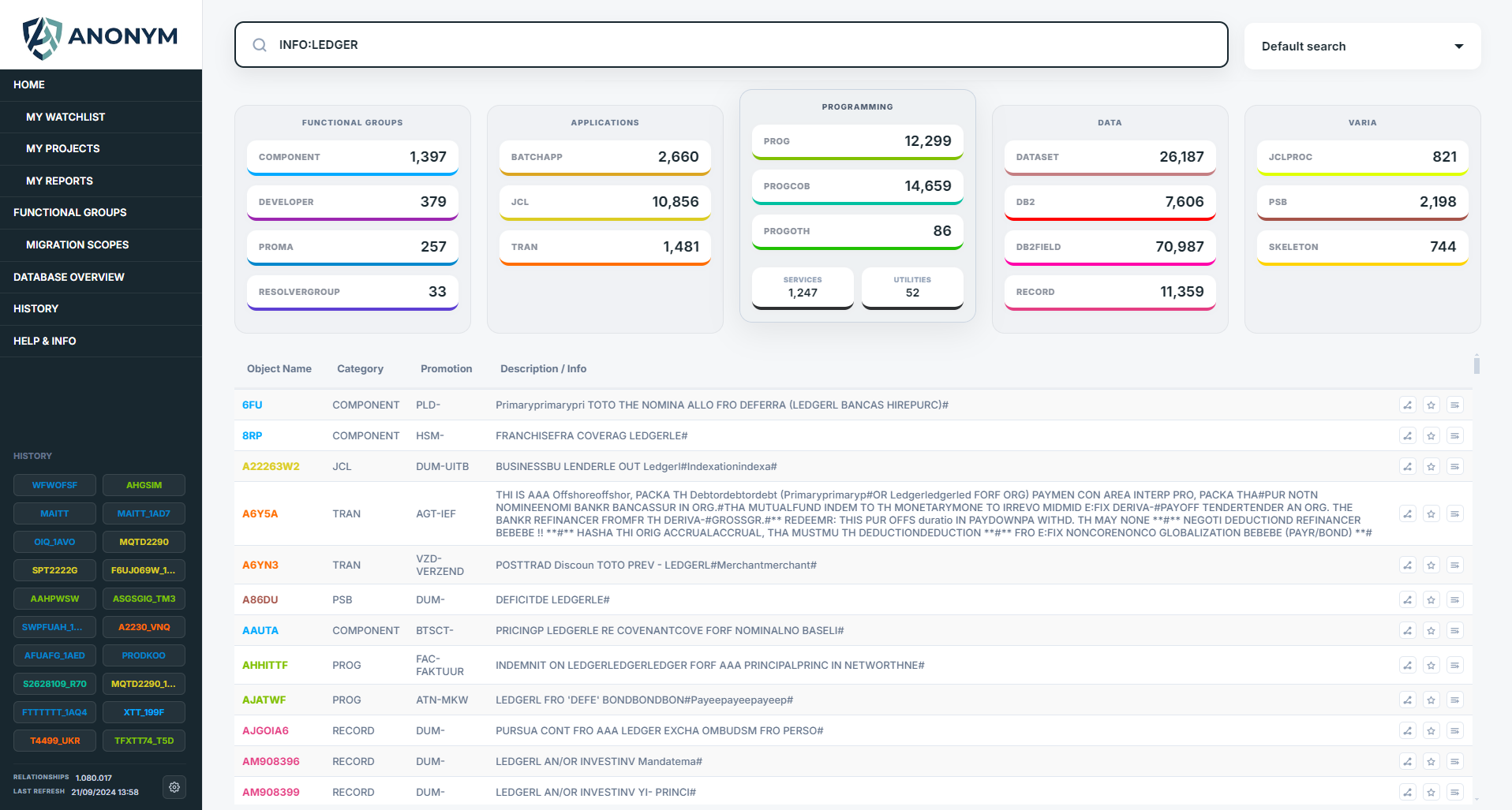
- Component inventories and search across programs, JCL, transactions, and data objects.
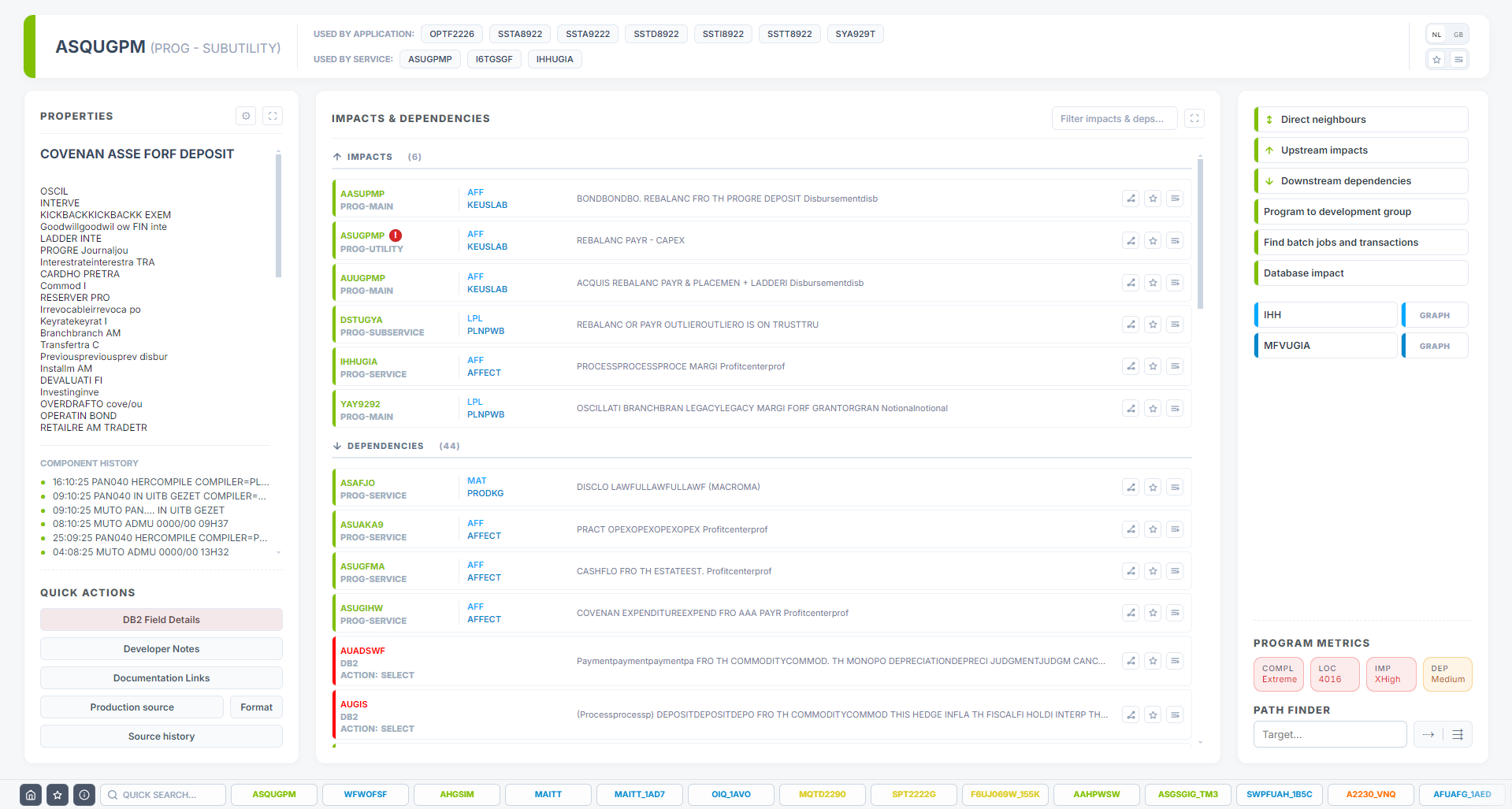
- Component discovery, a home for each object: properties, usage, history, and entry points into analysis.
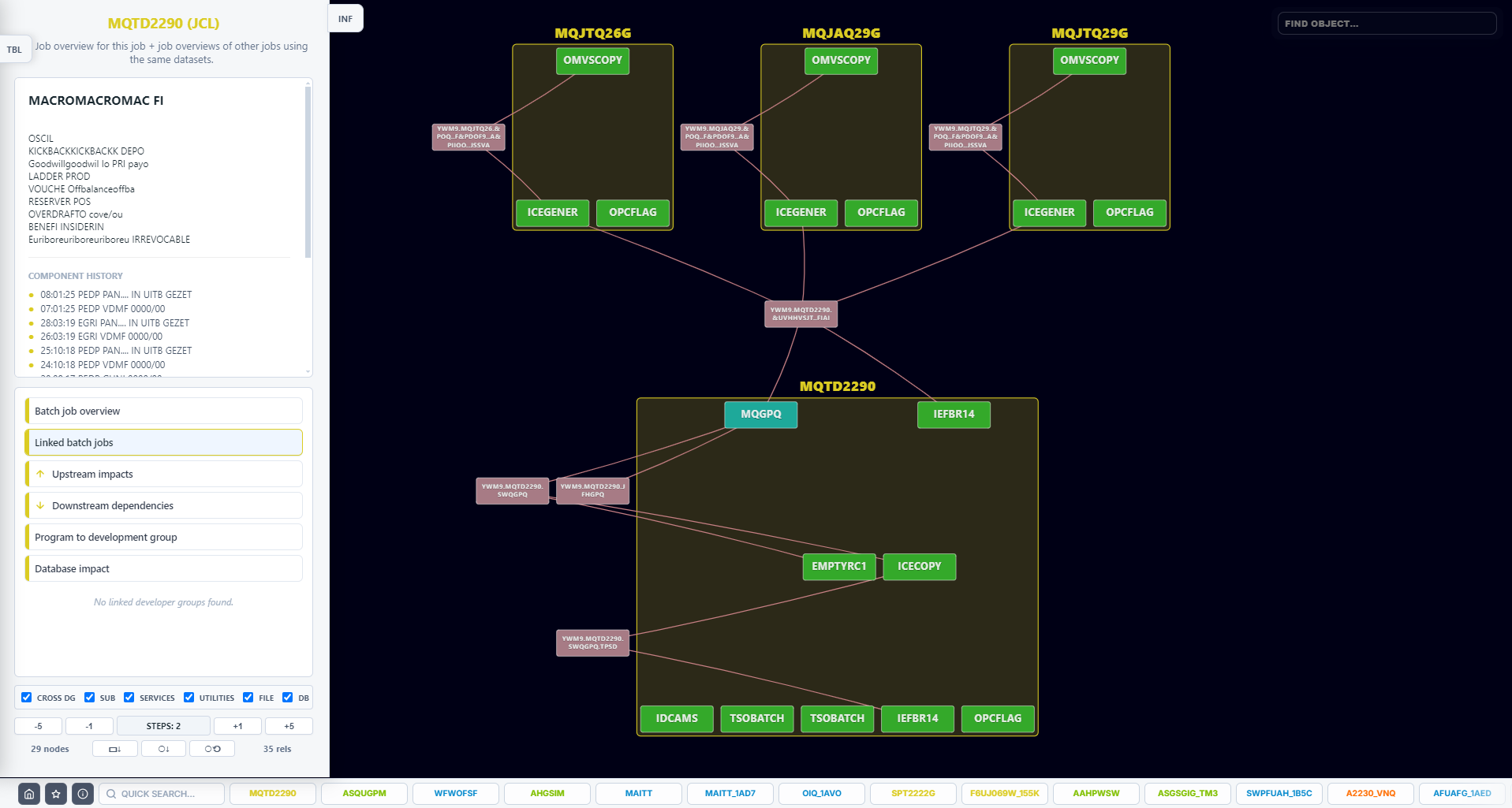
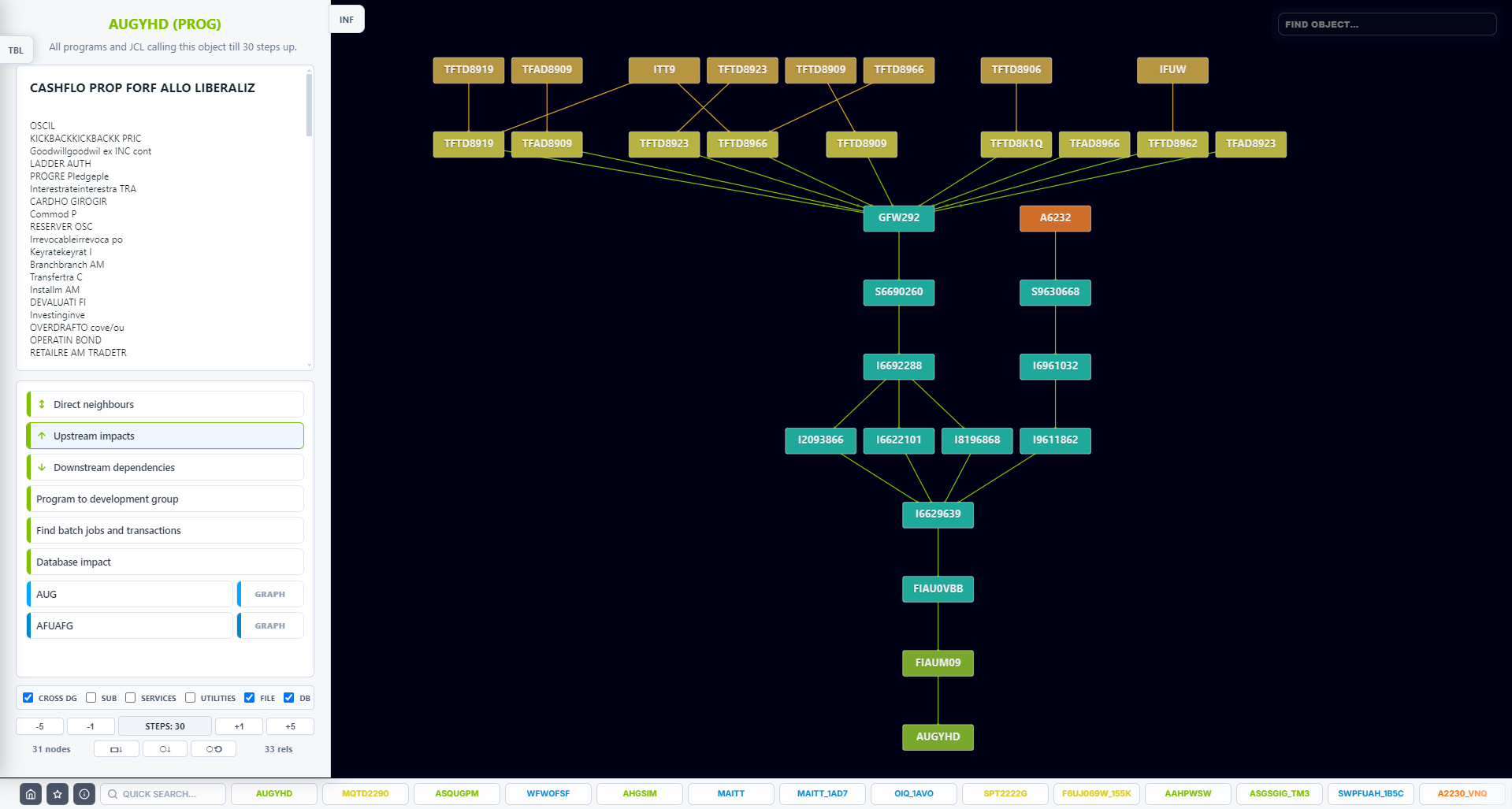
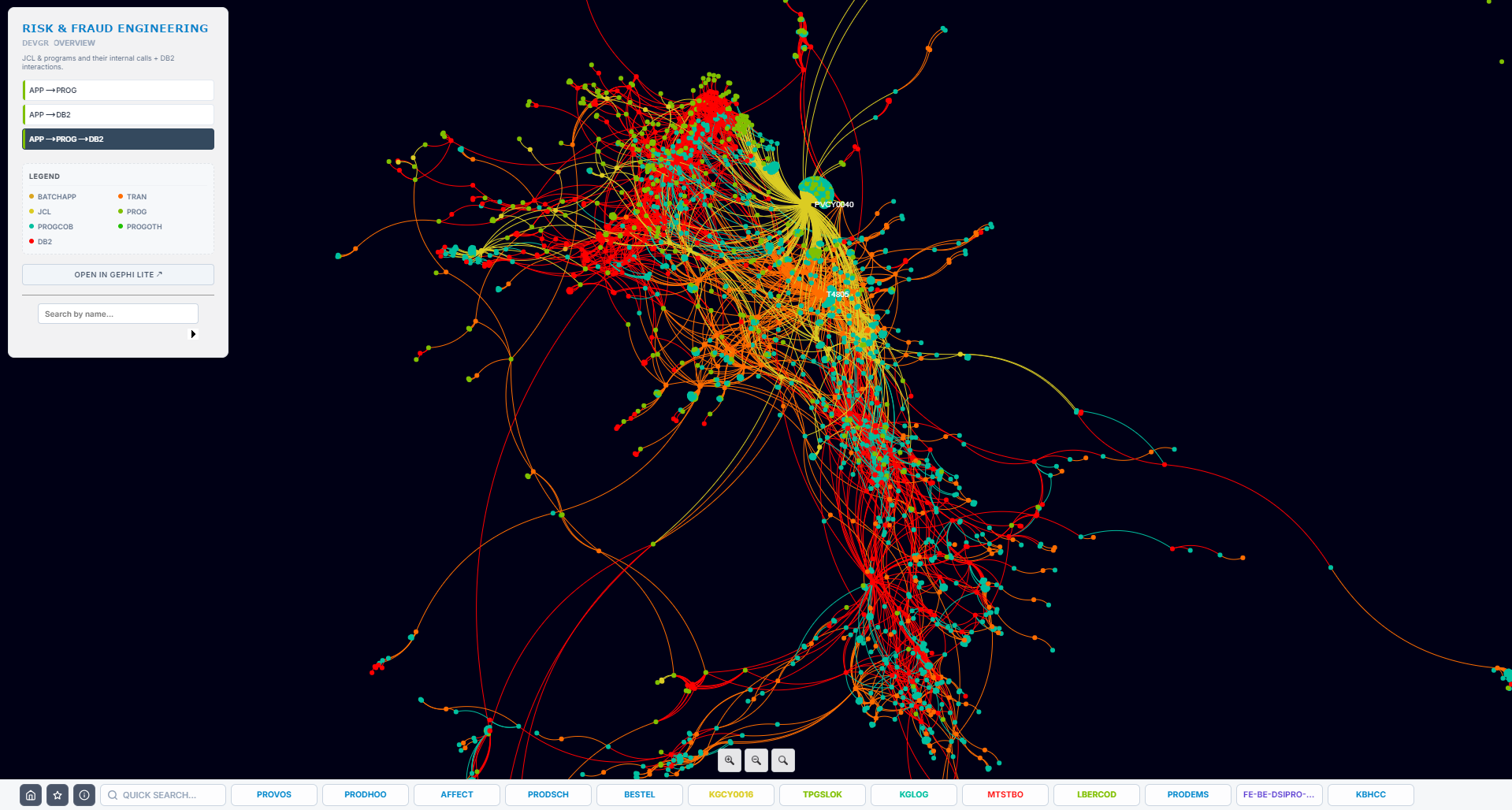
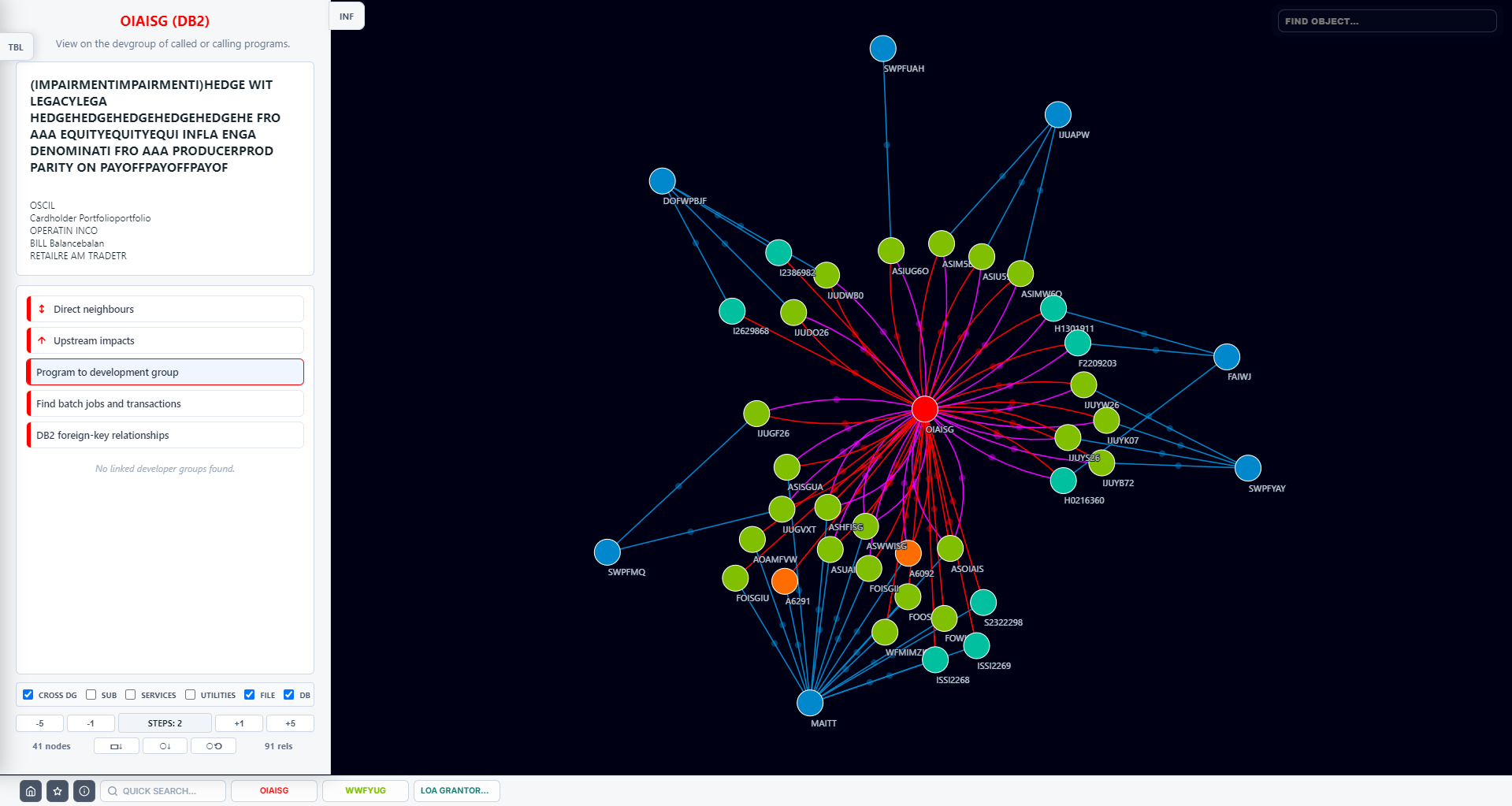
- Visual relationship analysis for large dependency graphs with depth control and navigation from the graph.
Typical uses
- One-click impacts and dependencies, instead of rebuilding the mental model by hand.
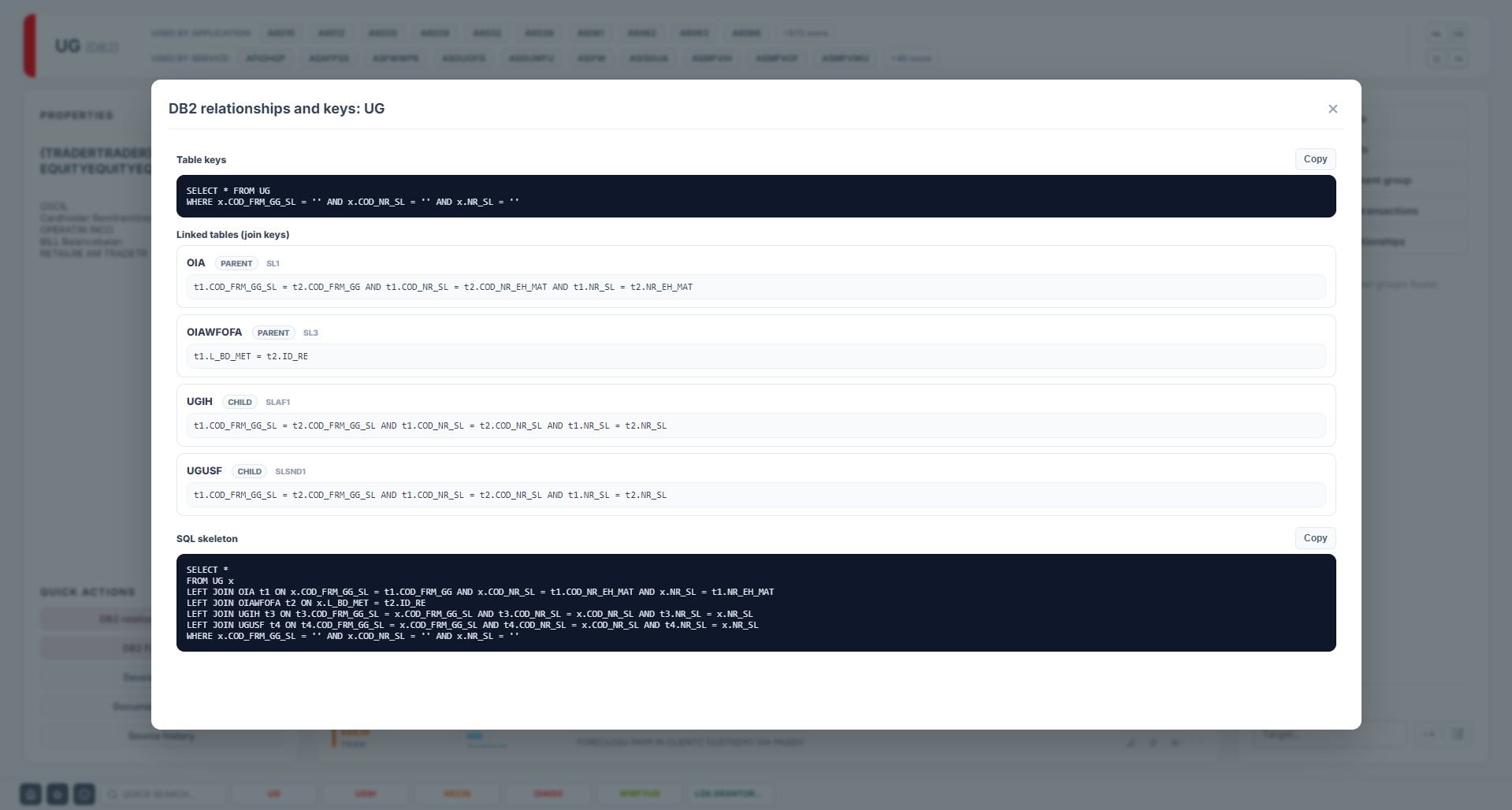
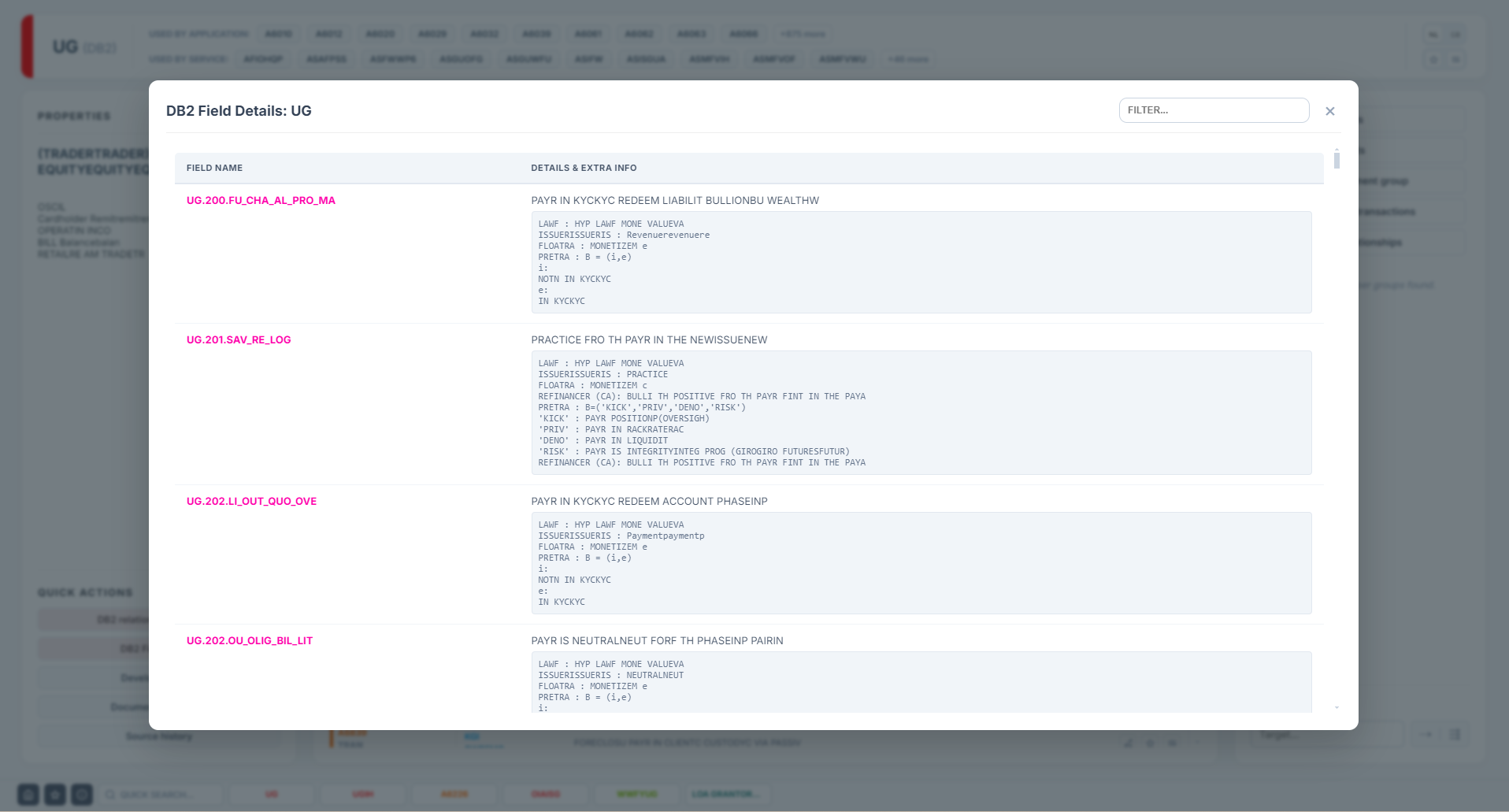
- Database overview with table relationships, keys, and field context to draft safer access paths and queries.
- Walk callers and callees visually when onboarding or refactoring a service boundary.
Examples (click to enlarge)
AI Accelerator
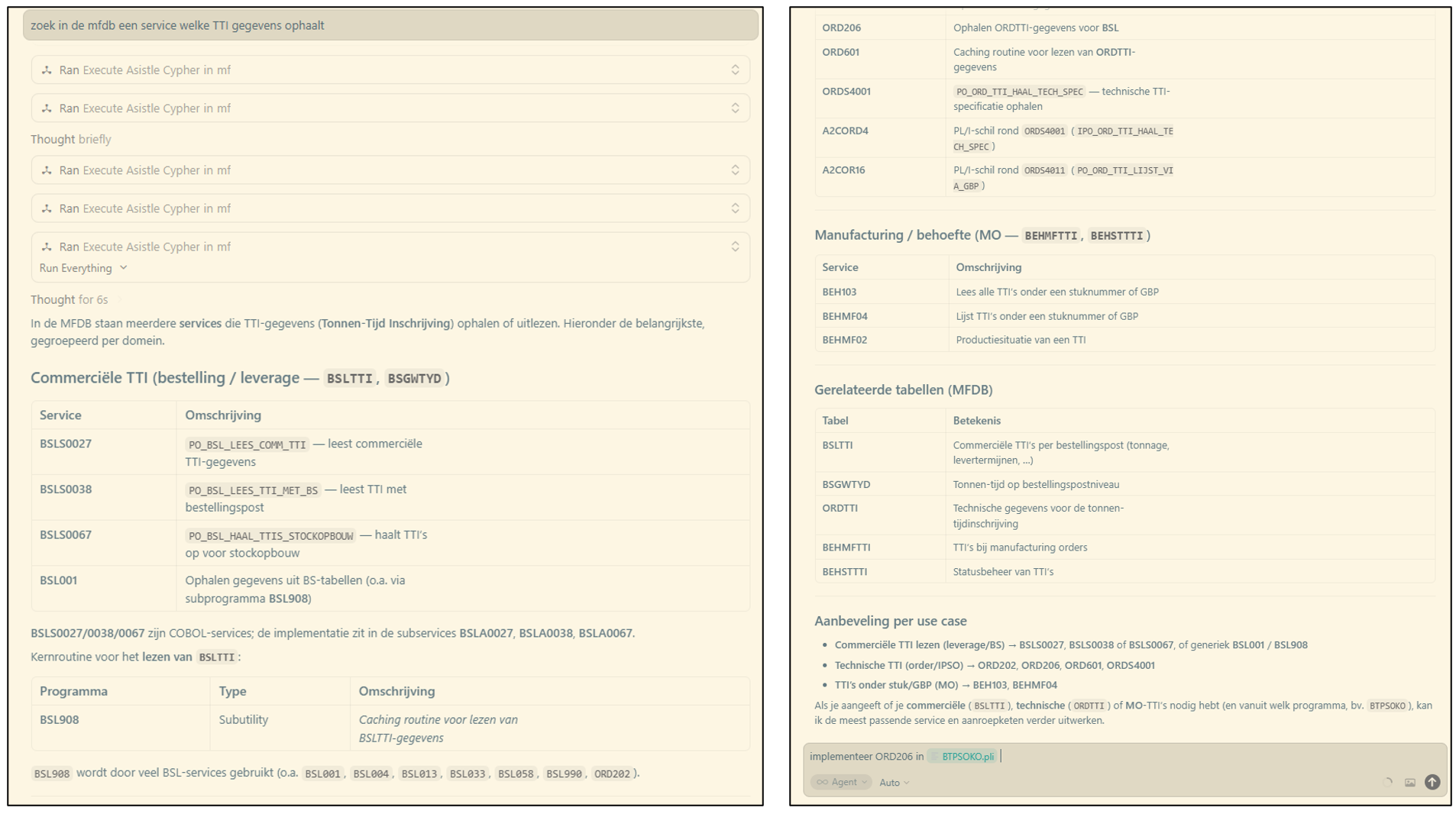
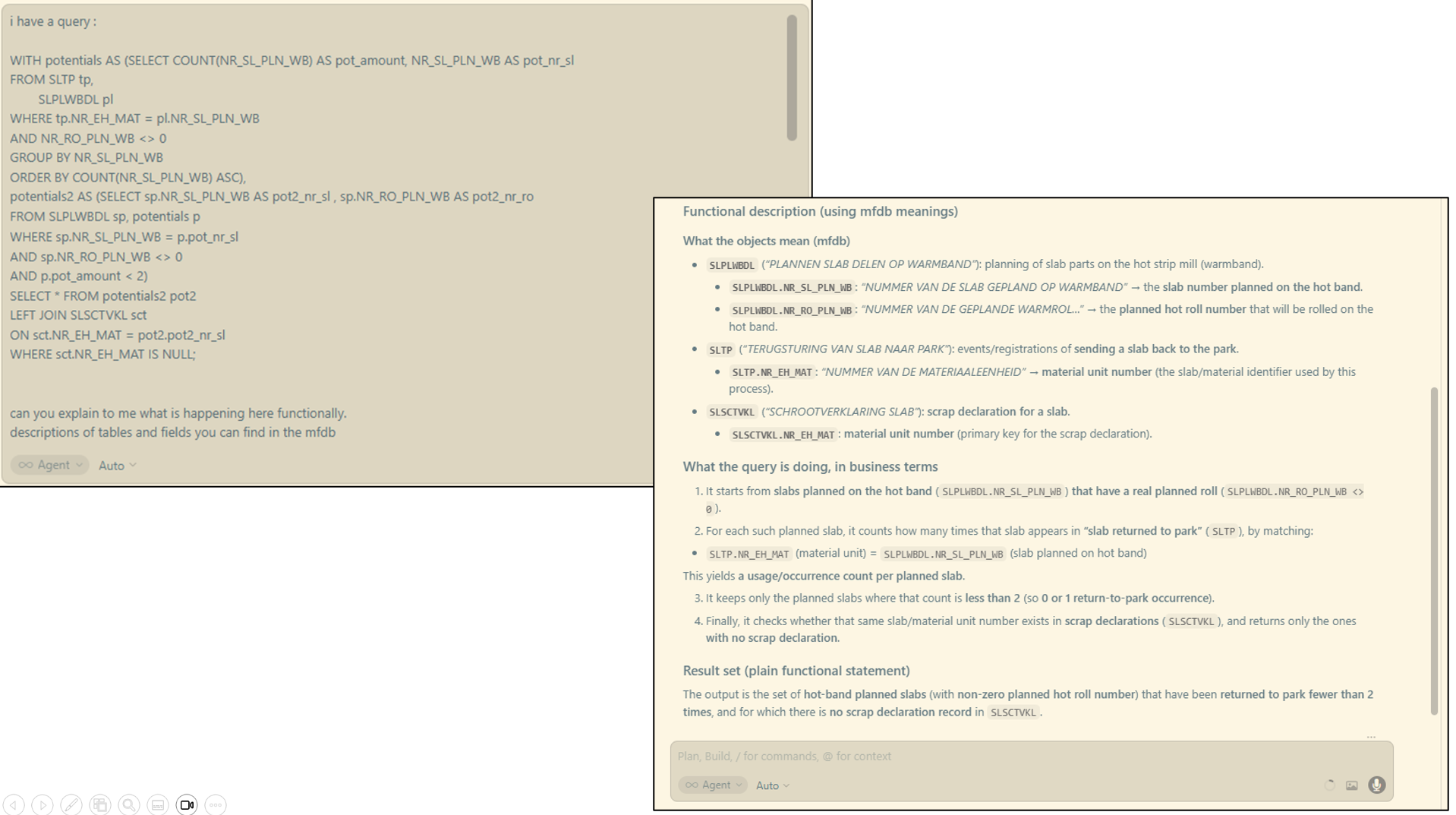
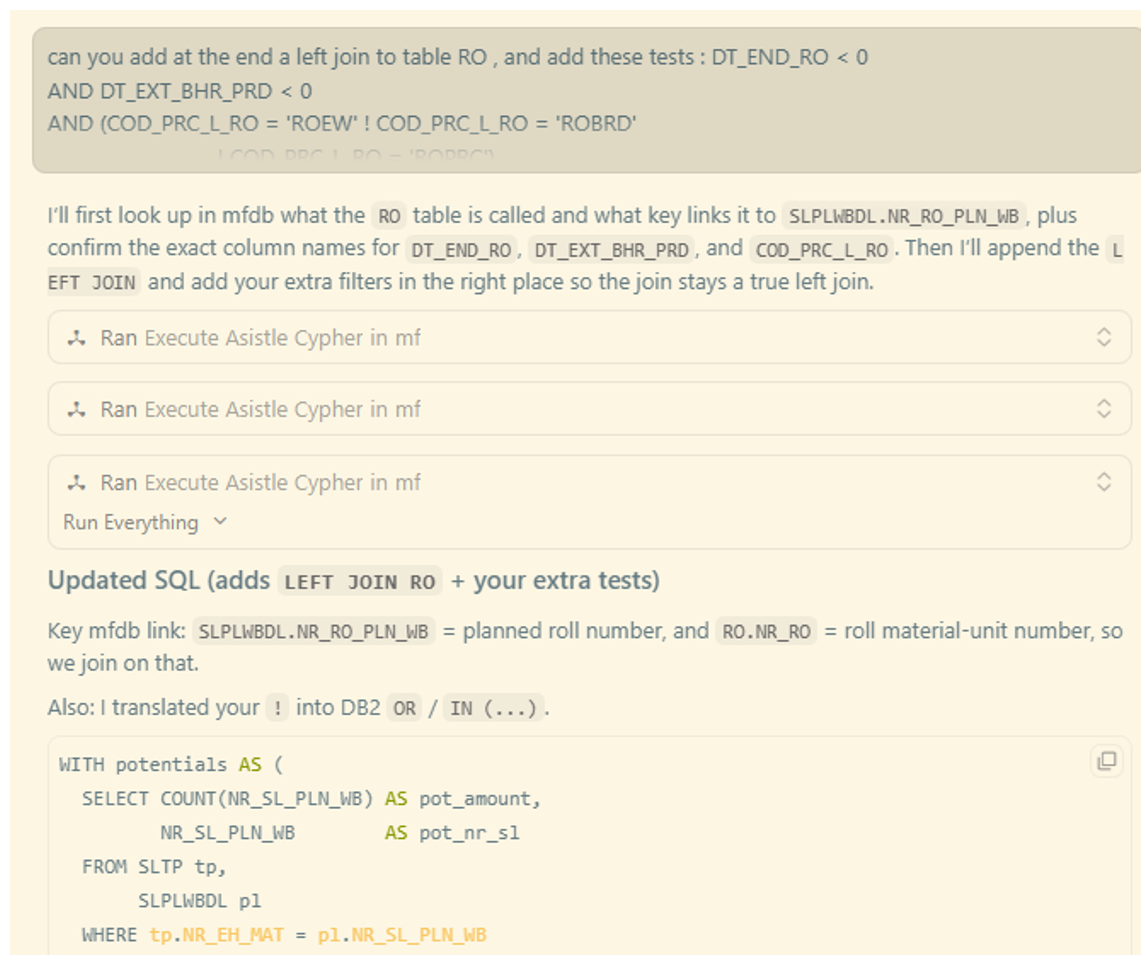
Lower AI and mainframe processing cost while improving answer quality. When a code assistant in the IDE (for example Copilot) can read structured Asist LX metadata instead of scanning thousands of flat sources, suggestions stay closer to the real system. That cuts noisy searches, trims wasted CPU on the host, and reduces token-heavy back-and-forth in the AI layer.
The same snapshot also gives developers and AI a shared view: the assistant can lean on precise relationships and field facts, while you validate and deepen understanding in the product interface you already trust.
Key Functionality
- Feed relationship and impact context so a change to one program interface surfaces dependent components immediately in the assistant thread.
- Expose DB field, file field, index, and join hints so the model drafts better queries with fewer iterations.
- Use functional descriptions and service tags so the assistant can suggest the right subprogram or shared module to call.
- Ground answers in development group and service rules so recommendations respect your boundaries.
Examples (click to enlarge)
Application owner assistant
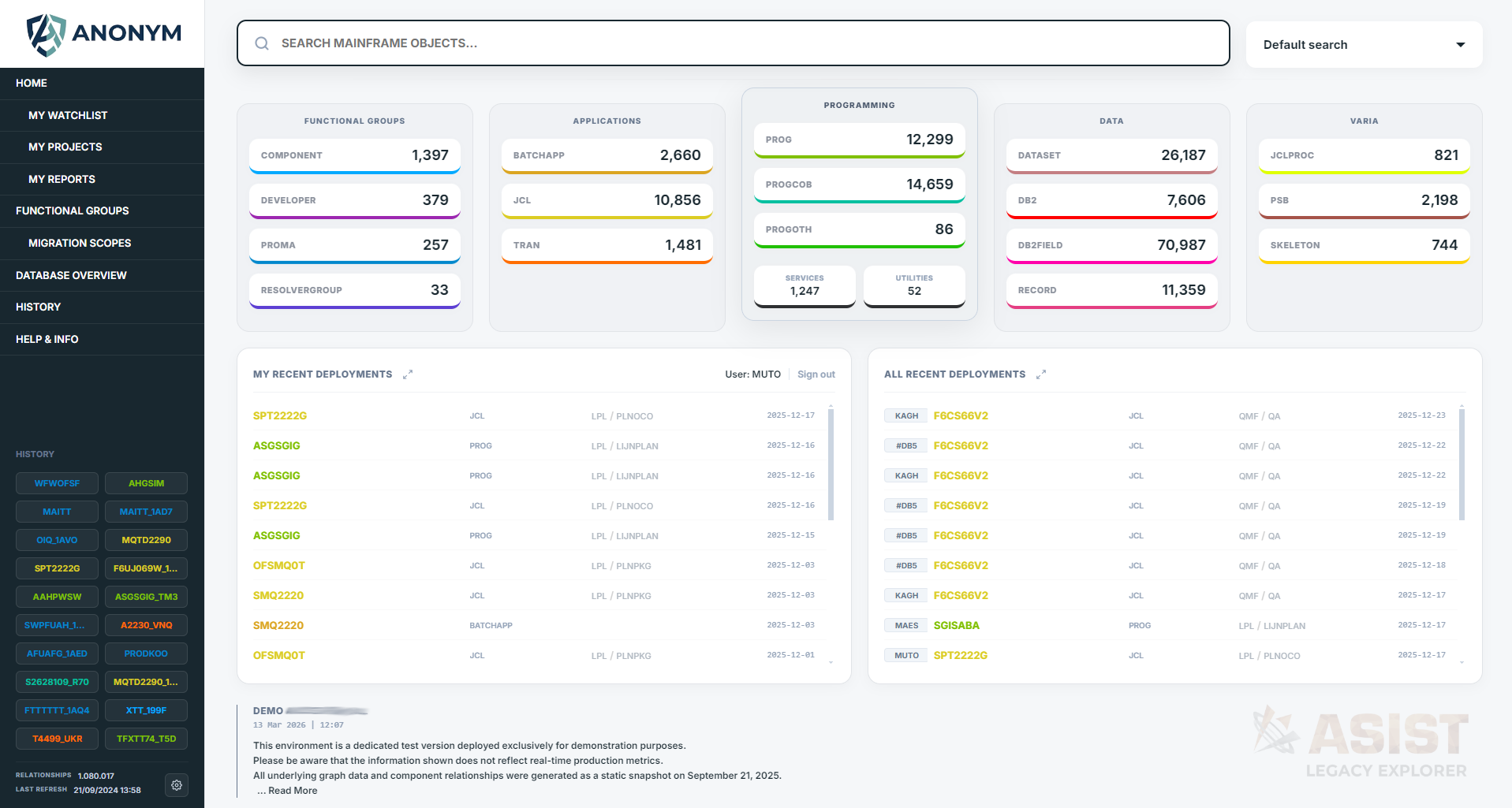
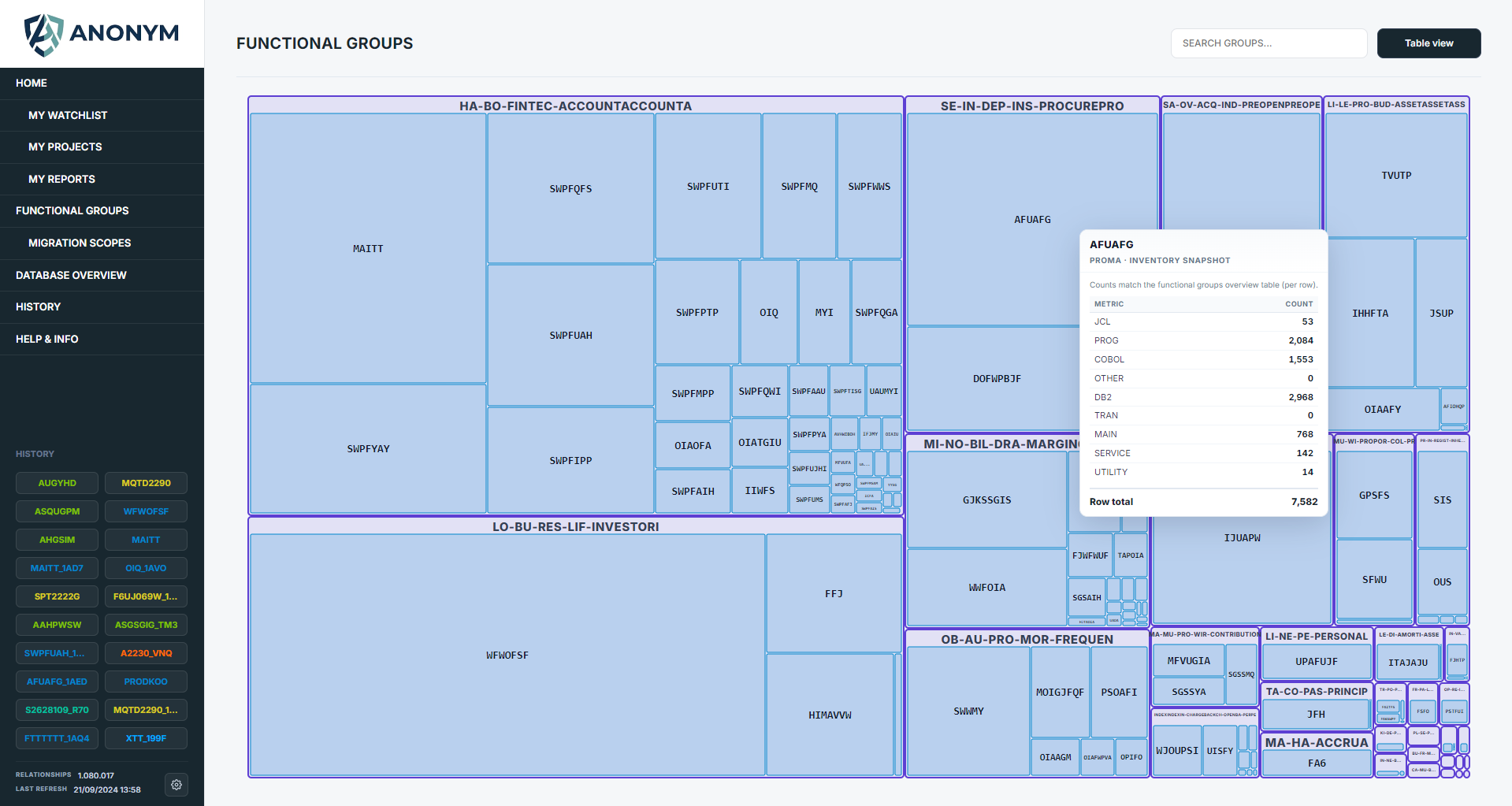
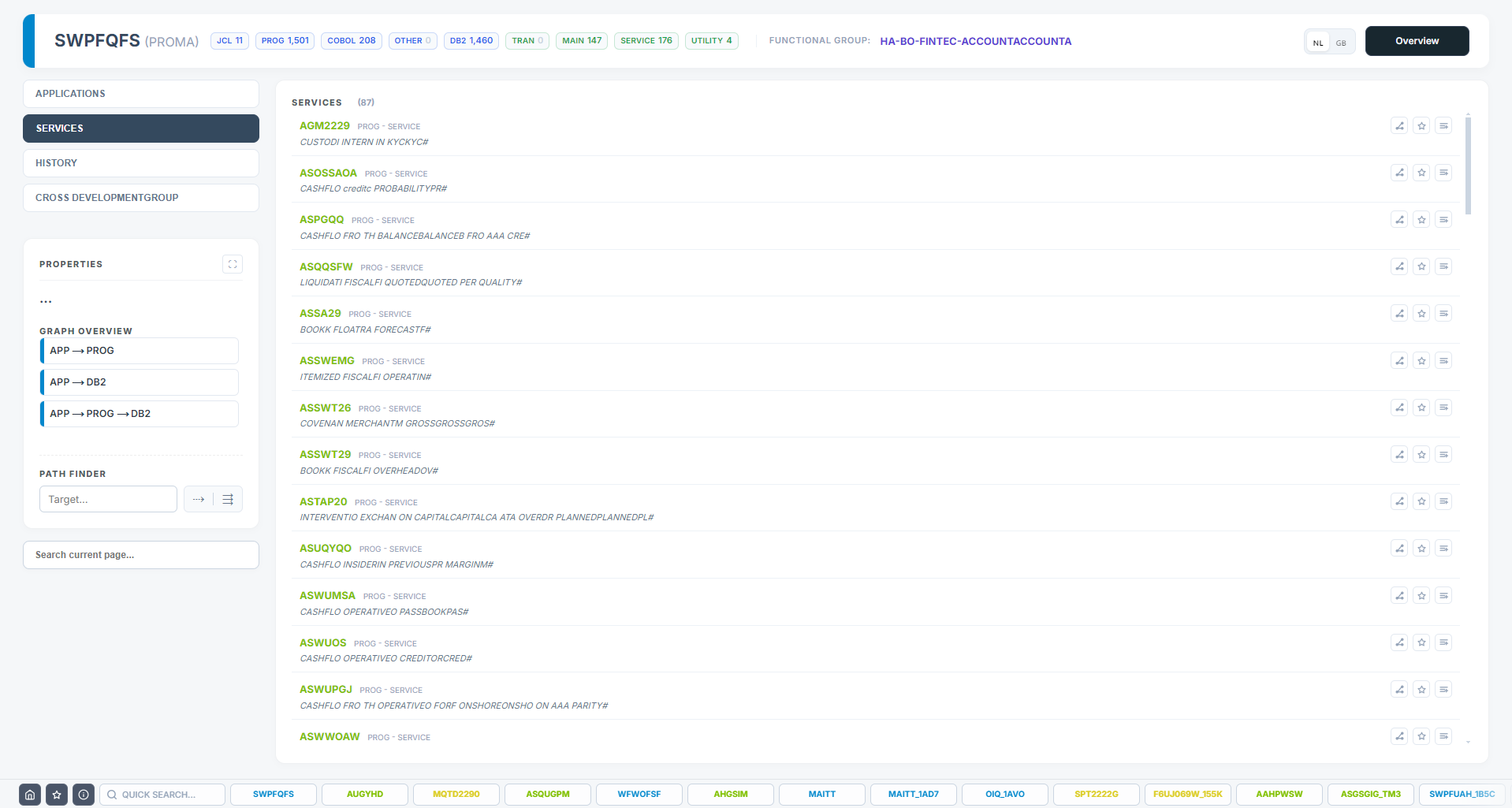
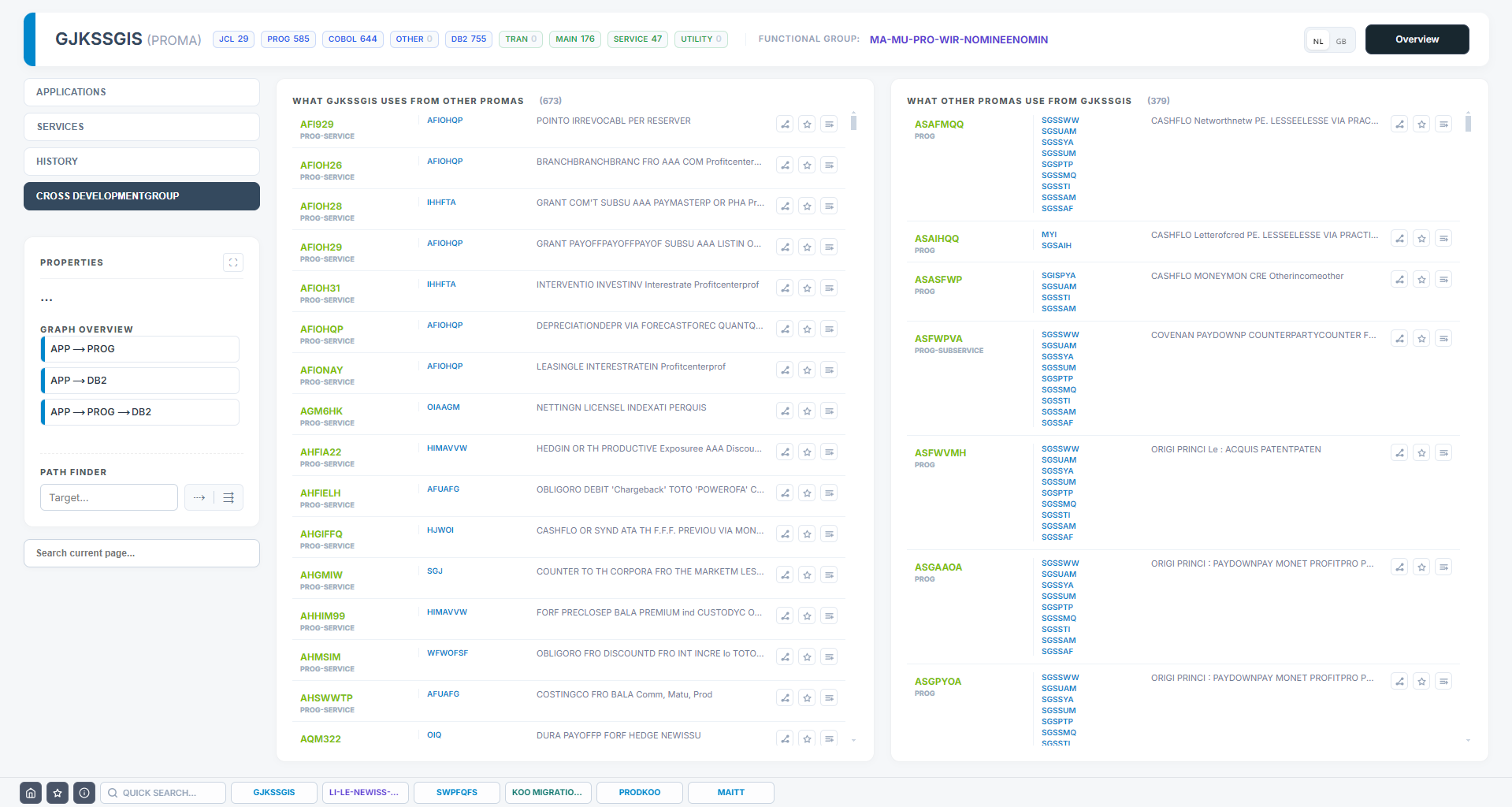
Application Owners need the metadata picture framed around applications and development groups: size, risk, spend signals, and governance actions. Asist LX turns counts and maps into a shared language for prioritisation and change control.
Key functionality
- Group and application scoping with hierarchical views of what sits under each area.
- Totals for critical inventory (for example JCL, programs, DB2) so growth and concentration are visible.
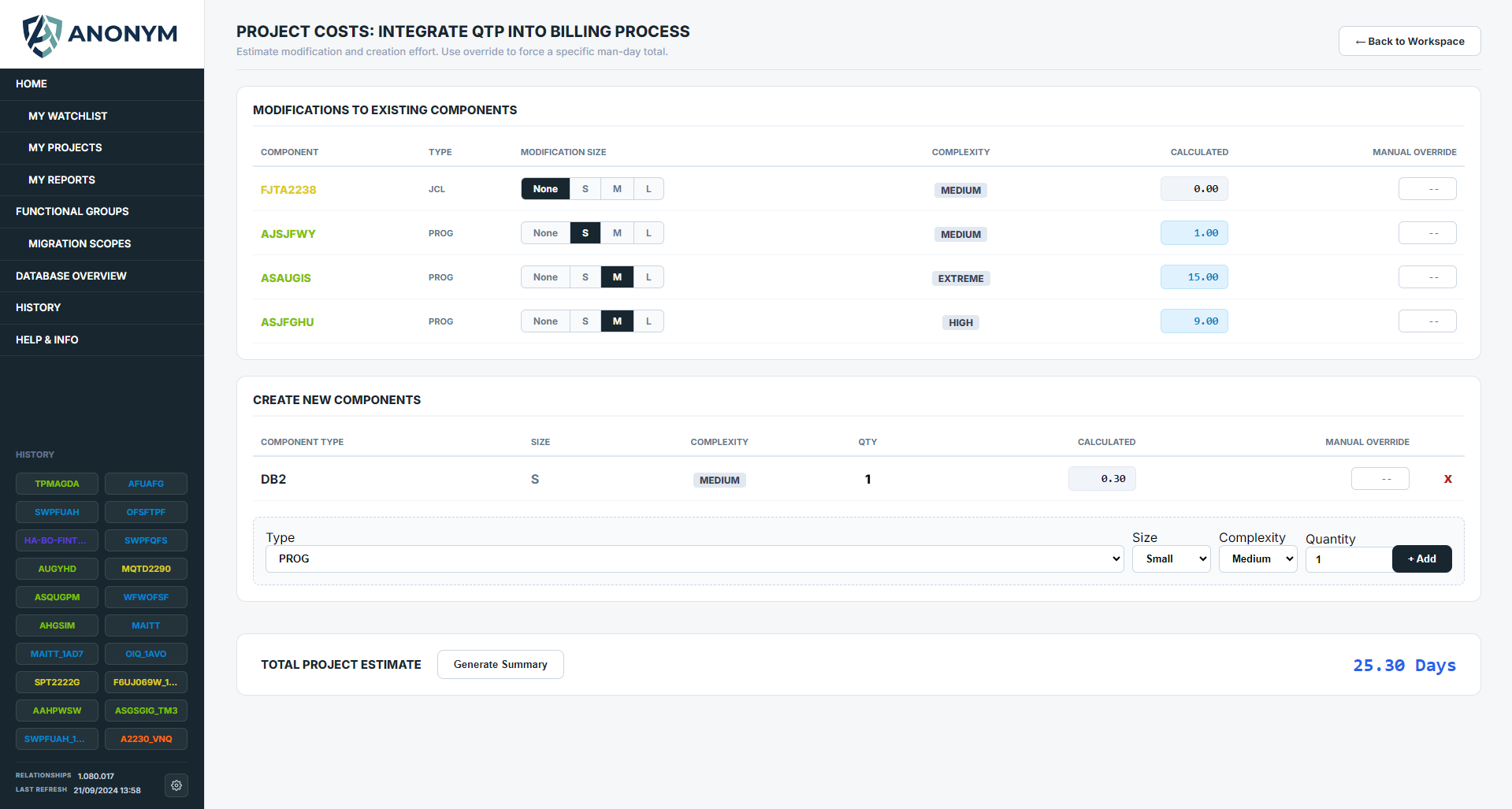
- Project view and development cost assistant to define a scope, inspect the surrounding neighbourhood of shared components, and reason about complexity and effort from structure—not guesswork.
- Connections beyond your boundary — the map shows not only the inventory inside an application or development group, but what links it to others. That helps you catalogue and minimise shared services and spot misuse before it spreads.
Typical uses
- Mark a program, JCL, or table for decommission and broadcast the intent with traceable context.
- Flag objects as business critical so production and project teams align on what must not break silently.
- Recent deployment tracking within the application footprint you care about.
- Service mapping for intra-group reuse versus dependencies that reach outside the boundary.
Examples (click to enlarge)
Migration and decommission assistant
Plans to migrate or retire systems fail when the scope is unclear or hidden dependencies only show up late. Legacy migration projects are inherently high-risk and costly, making a clear, comprehensive view of the repository a vital first step before taking the big step.
Four steps Asist LX supports scope definition
- Spot migration candidates using large overviews at development-group level, so you see concentration and outliers before you commit.
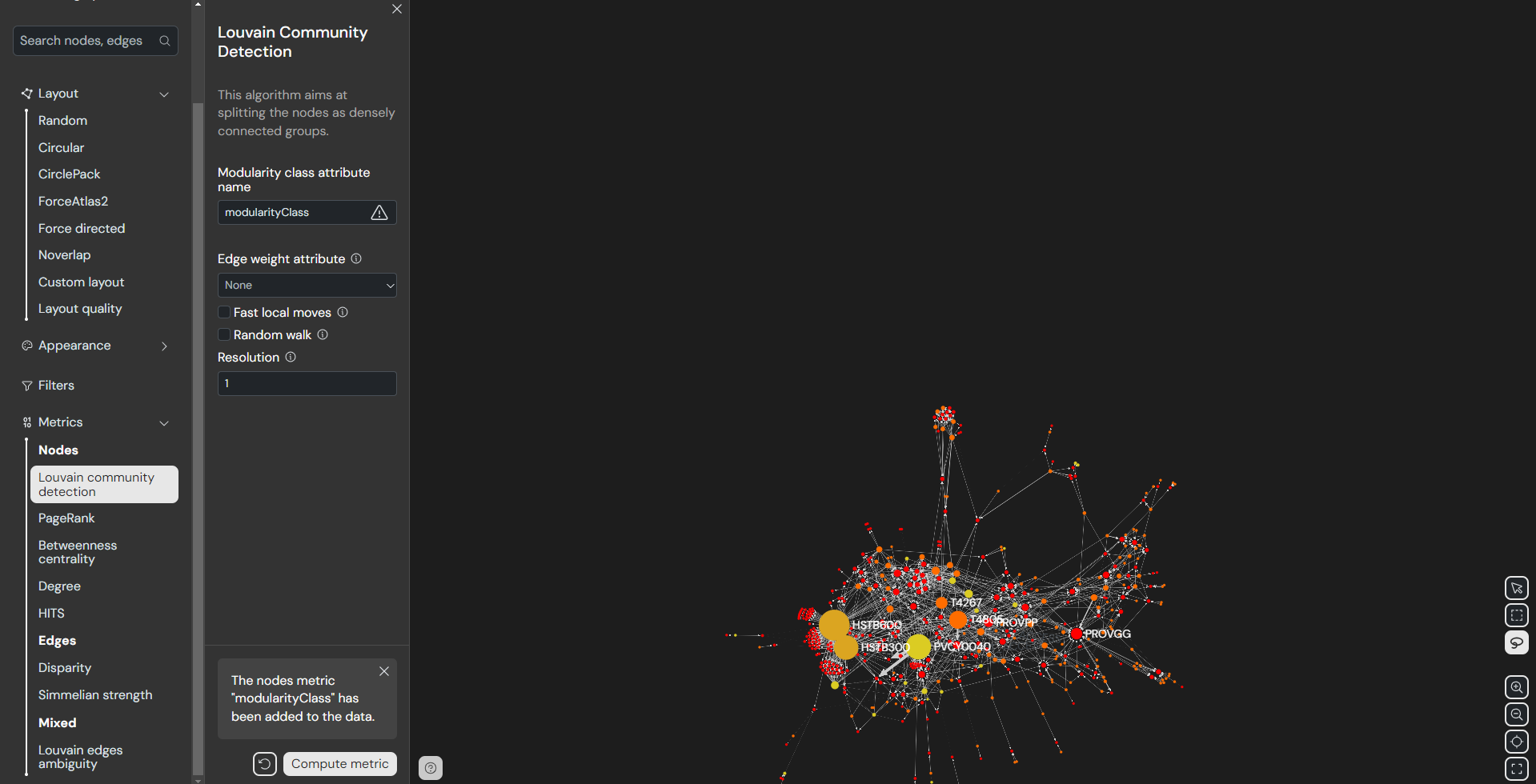
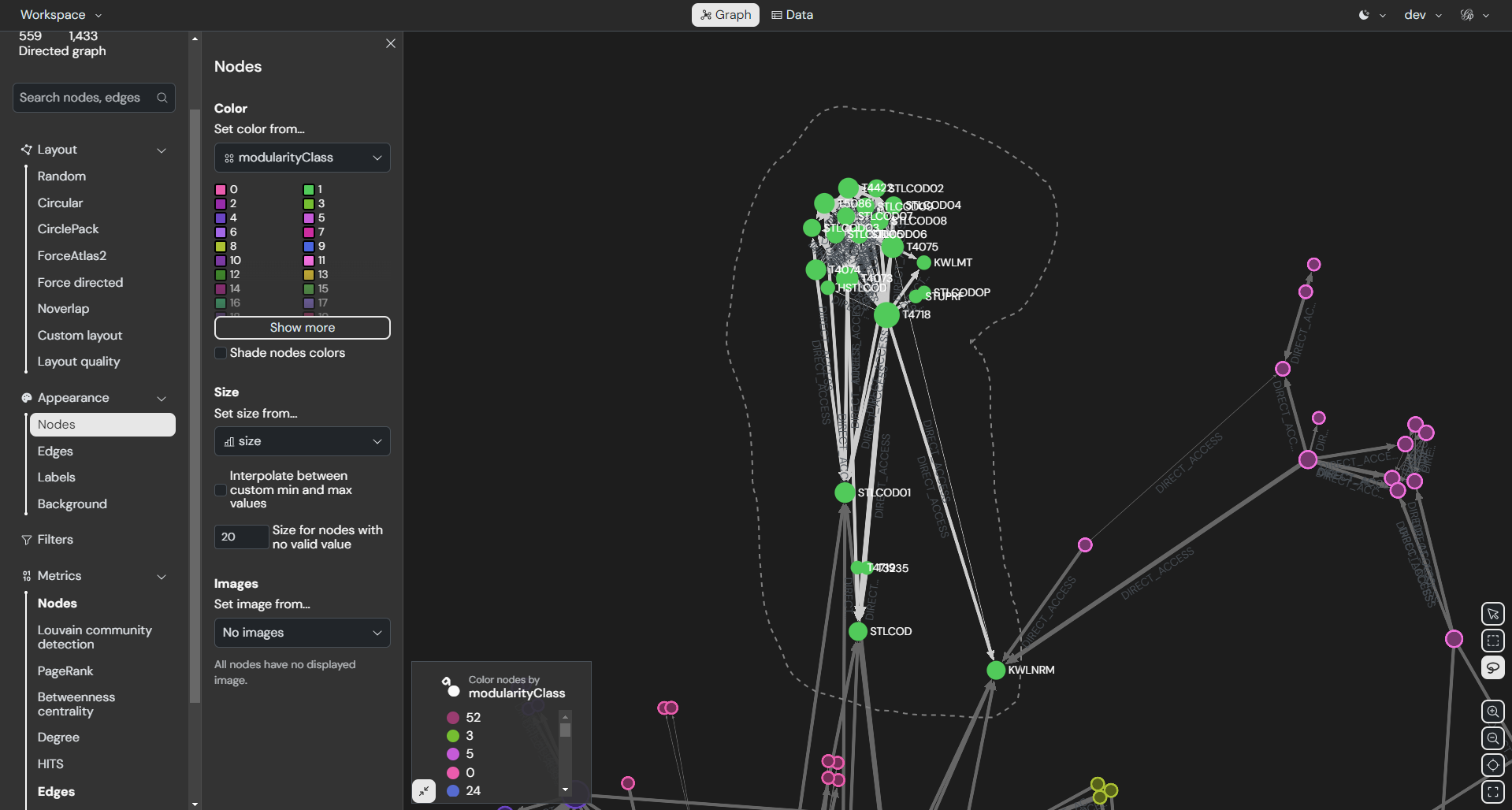
- Define the migration scope with community detection algorithms to propose natural clusters and shared neighbourhoods to move together.
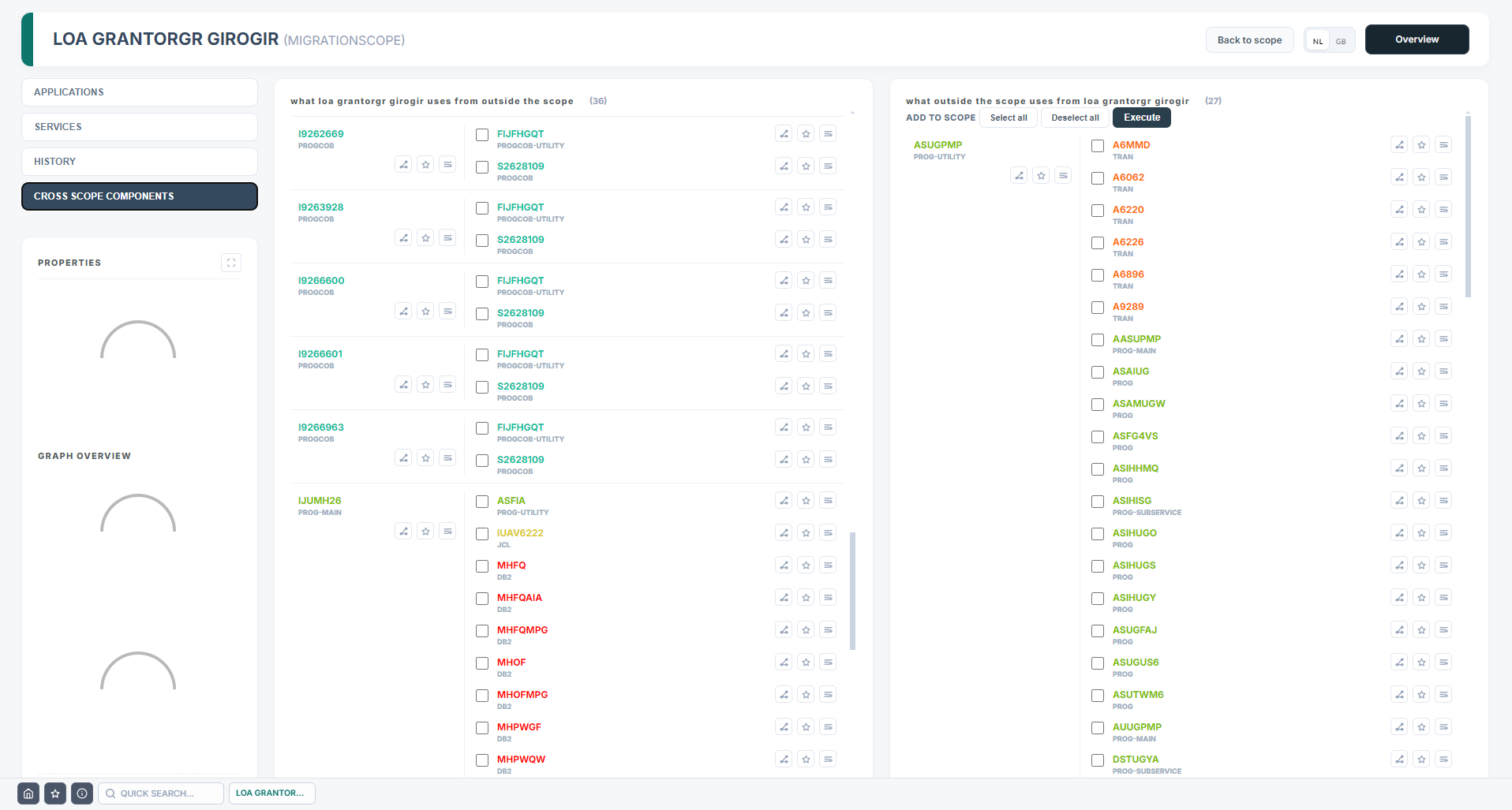
- See leftover connections through services and cross-boundary links that must be rewired or retired.
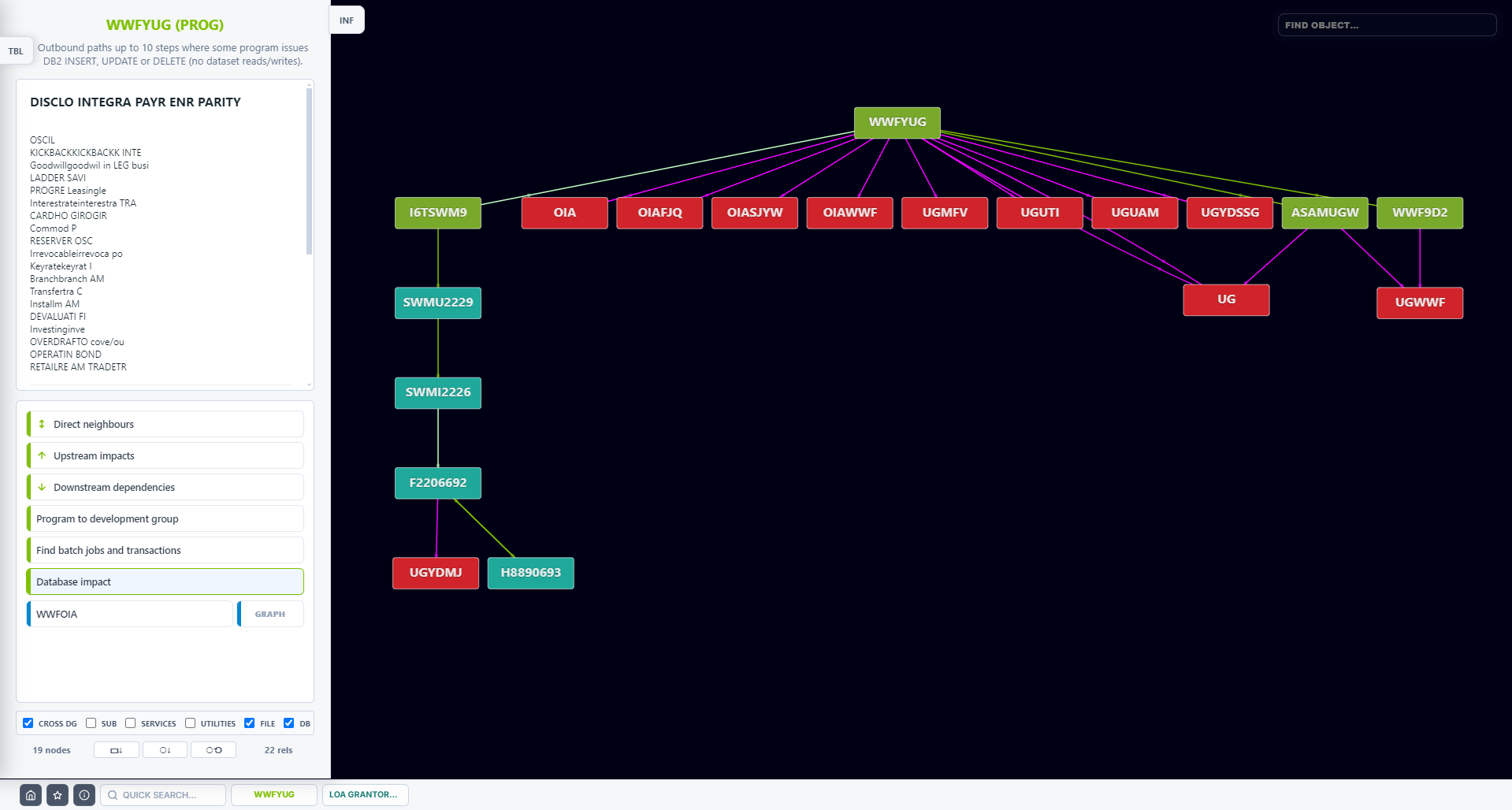
- Size risk and complexity with dependency depth, shared components, and data touchpoints visible in one place.
Examples (click to enlarge)
Metadata and documentation assistant
Your best documentation is useless if nobody can find it—and half your truth never leaves the tool that created it. Schedulers, DB2 catalogs, spreadsheets, tickets, and PDFs each hold a piece of the puzzle, but rarely the full picture tied to a program or table. Asist LX pulls that stranded metadata into one searchable layer, links it to the components people actually change, and puts descriptions, notes, and history where engineers already look—so the answer is minutes away, not buried in someone’s inbox.
Key functionality
- Search programs and data by functional description, not only by name.
- Developer notes and documentation links attached where people already work: on the component.
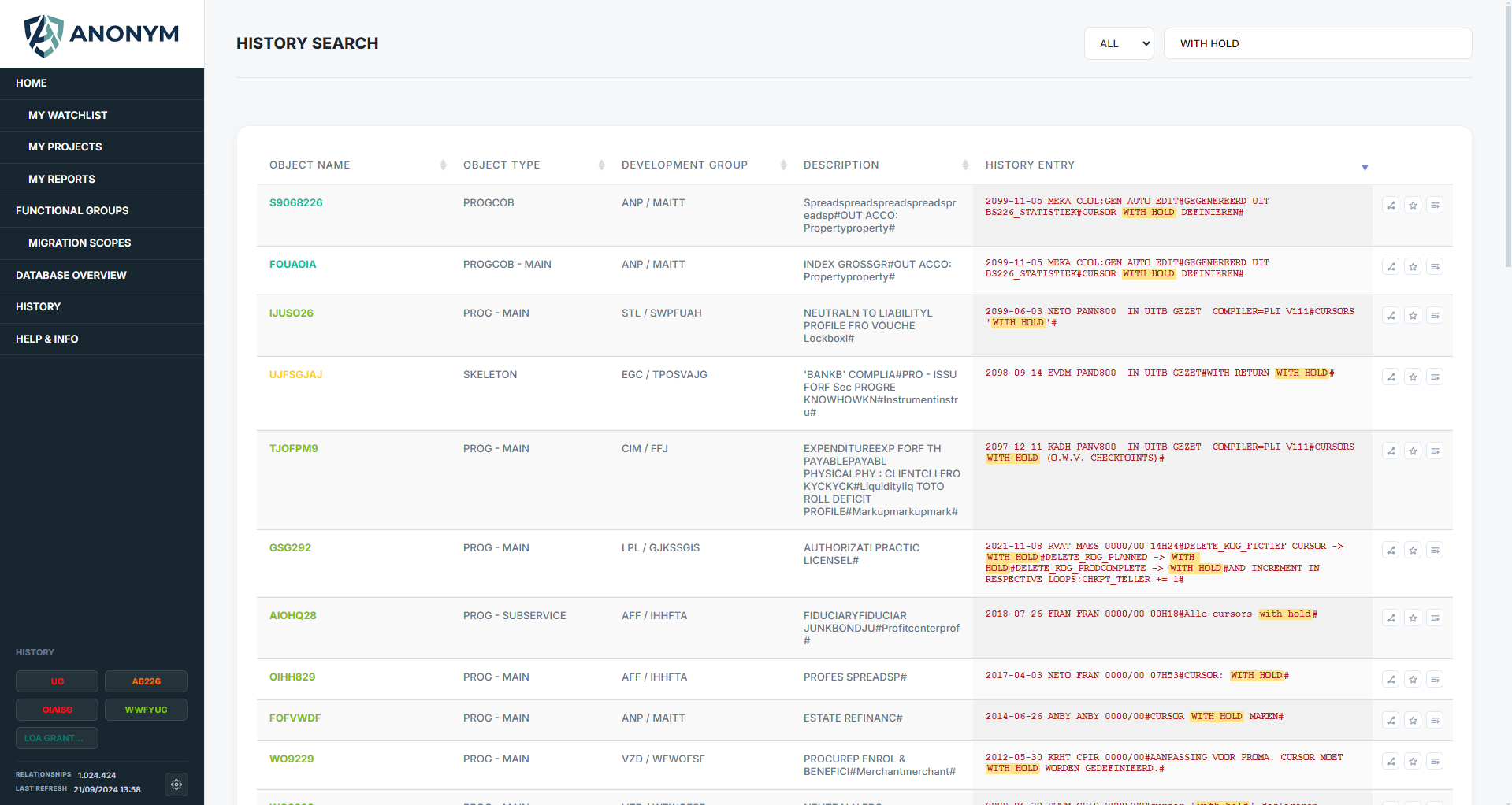
- History search across changes with developer, date, and free-text filters.
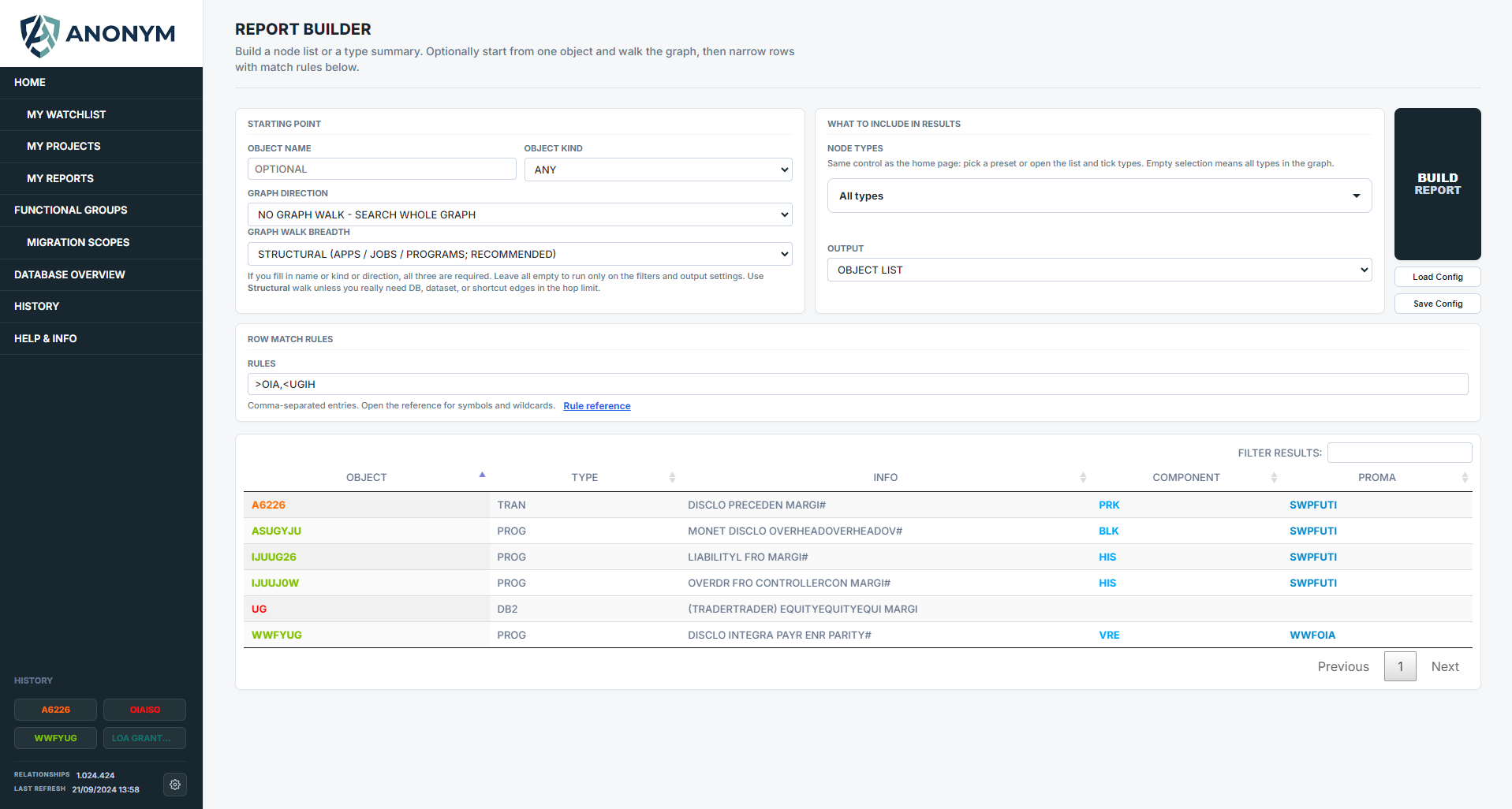
- Report builder to save and export recurring metadata slices for audits and handover packs.
Examples (click to enlarge)